in search of the perfect browser
Imagine if every time you stepped outside, someone followed you — not just observing where you went, but actively taking note of what you bought, who you talked to, and even what brand of coffee you prefer.
Unfortuately, this is the current state of the internet in a nutshell. Every time you look up something on the web, it leaves behind a digital trail, one that data brokers, advertisers, and even governments eagerly sweep up and are even happy to pay for it.
Yet, for most of us, switching browsers feels like swapping grocery stores: we just use the one that is more convenient for us. I know a lot of non-techies who still use Safari on their iPhones and Macs - they don't even know that alternatives exist. For most others, Chrome is the default choice. But, we all know that not all browsers are created equal. Some respect your privacy, while others actively monetize your data.
A few months back, I started digging into this question. What began as casual curiosity soon turned into a full-on investigation, testing a mix of mainstream and niche browsers. I tweaked settings, installed extensions, and pored over privacy policies.
I went down the rabbit hole and found myself knee deep in the world of browser privacy, fingerprinting, and tracking. So, if you've ever wondered how your browser stacks up on privacy, here's everything you need to know (sorry, it's a long one).
The Contenders
For this analysis, I selected browsers that are either too prominent to ignore or those that have carved a unique niche for themselves in the privacy space. While there are many more browsers available, I believe these are accessible enough for the average user to consider.
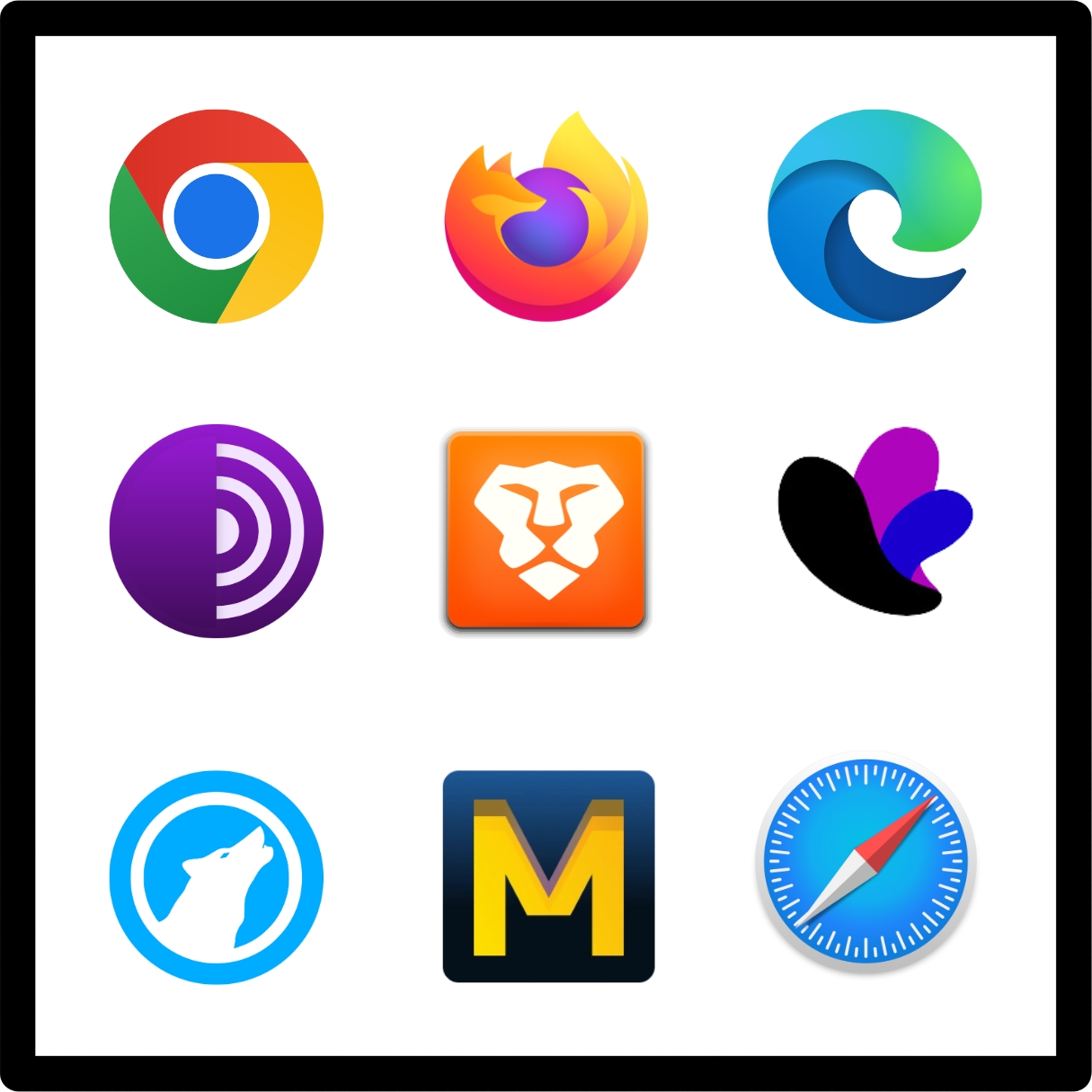
The browsers I tested include:
Mainstream Options
- Google Chrome: The most popular browser and the undisputed market leader for over a decade.
- Safari: The default browser for Apple users.
- Microsoft Edge: Microsoft's attempt at building a Chrome competitor.
Privacy-Focused Options
- Brave: A privacy-focused browser that blocks ads and trackers by default, with additional features.
- Mozilla Firefox: The stalwart of open-source browsing, loved by privacy enthusiasts.
- Hardened Firefox: A power user's dream, offering a heavily customized version of Firefox with configurations and add-ons designed to maximize privacy and minimize telemetry. It's not a different browser - it's just a highly tweaked version of Firefox. I thought it deserves its own entry since it can be a wildly different experience than just plain old firefox.
- Tor Browser: A browser that anonymizes its traffic by routing it through the Tor network, with additional privacy-first features.
- Mullvad Browser: A collaboration with the Tor Project, designed for VPN users seeking privacy features without needing Tor's onion routing.
- LibreWolf: A fork of Firefox stripped of telemetry, preconfigured with hardened privacy settings, and optimized for users seeking privacy without manual configurations.
- Incogniton: A specialized browser tailored for multi-account management and anti-detection, widely used for scenarios requiring strict anonymity and isolated sessions.
Factors Considered
In evaluating these browsers, I focused on six key categories:
- Privacy and Data Handling: Built-in tools like ad blockers, anti-fingerprinting, and tracker blockers.
- Customizability: The extent to which you can tweak the browser to suit your needs.
- Ease of Use: How accessible and user-friendly the browser is.
- Performance: Speed, resource consumption, and overall efficiency.
- Community and Transparency: Open-source availability and the trustworthiness of the organization behind the browser.
If you didn't already realise it, most of the analysis above is focused on privacy. There are a lot of other factors to consider - but they take a backseat in this comparison.
Privacy and Data Handling
- Google Chrome: 3/10. Google doesn't exactly have a stellar track record when it comes to privacy. The Chrome browser provides basic privacy controls like cookie management and pop-up blocking, but lacks built-in tracking protection or anti-fingerprinting features. There are tonnes of third party extensions available, but relying on them puts the burden on users to patch Chrome's shortcomings. The biggest reason why Chrome gets a 3 from me, is the fact that it is closed source and its deep integration with Google services means data collection is deeply embedded into its DNA.
- Microsoft Edge: 4/10. Edge, based on Chromium, the same engine that powers Chrome, offers three levels of tracking prevention: Basic, Balanced, and Strict. While the Strict mode is better than Chrome's default, it still misses out on advanced features like anti-fingerprinting. It's actually quite similar to Chrome - just replace Google with Microsoft. It scores better because the controls for limiting the data collection by Microsoft are slightly better documented and are more user-accessible compared to Chrome.
- Safari: 7/10. Safari offers built-in tracking prevention, but it's not as advanced as the other browsers in this list. I don't have much to add here, but because Apple has a good track record of privacy and security, I'm giving it a 6.
- Mozilla Firefox: 8/10. Firefox is a favorite among privacy enthusiasts for good reason. Its Enhanced Tracking Protection (ETP) blocks social trackers, cryptominers, and fingerprinters by default. It also supports DNS-over-HTTPS (DoH), which encrypts your DNS queries, ensuring your ISP or third parties can't easily snoop on your browsing habits. While its privacy features don't match the out-of-the-box anonymity of Tor or the aggressive ad-blocking of Brave, Firefox strikes a balance between usability and robust privacy.
- Hardened Firefox: 10/10. The rating for this will depend on how much time you want to spend on configuring your browser - but this is Firefox taken to the extreme. By disabling telemetry, disabling WebRTC and WebGL - paired with privacy extensions like uBlock Origin, NoScript, and Cookie AutoDelete, you get a browser that rivals Tor in privacy without sacrificing as much speed or usability.
- Tor Browser: 10/10. The poster child of privacy. Tor is preconfigured for anonymity. It routes traffic through multiple relays, preventing tracking and fingerprinting. Its design makes every user appear identical, thwarting even sophisticated tracking methods. Now, this is probably an overkill for most users - but it is a good option for those who want to be as anonymous as possible.
- Mullvad Browser: 10/10. Developed with the Tor Project, Mullvad offers privacy-focused features similar to Tor but optimized for VPN usage rather than onion routing. It isolates cookies and blocks trackers effectively. The only issue is that to maximise privacy, you need to use Mullvad VPN - which is not free. Still, it's right up there when it comes to privacy without sacrificing much on usability.
- Brave: 8/10. I'm not sure how to rate this one. Brave is an excellent browser with aggressive built-in ad and tracker blocking. It also has some decent anti-fingerprinting tools right out of the box. I just don't like the gimmicky features like the Brave Rewards - which are just a way to monetise your data. Yes, it's disabled by default - but the fact that it's there is a bit of a turn off.
- LibreWolf: 9/10. A fork of Firefox, LibreWolf comes preconfigured with hardened privacy settings, including disabled telemetry, improved tracker blocking, and an emphasis on anti-fingerprinting. It requires no additional configuration, making it an excellent Firefox alternative. More details later.
- Incogniton: 10/10. For those of you who don't know - Incogniton is a specialized browser for multi-account management and anti-detection. There are other browsers in this category that I've ommitted - but Incogniton is the most popular one. It's designed for scenarios requiring strict anonymity and isolated sessions. Mostly used by sellers - it's an excellent option for anyone evading detection by social media platforms.
Customizability
- Google Chrome: 8/10. Chrome's extension library is massive, with virtually every tool or tweak imaginable. From privacy add-ons like uBlock Origin and Privacy Badger to productivity enhancers, the options are endless. However, customization is heavily reliant on third-party extensions, and Google's telemetry features remain deeply embedded in its core - something users cannot entirely disable.
- Microsoft Edge: 7/10. Edge inherits the Chromium extension library, giving users access to Chrome's vast ecosystem. While its built-in customization features for privacy are limited to toggling tracking prevention levels, it does offer decent options for fine-tuning performance settings. Still, it doesn't provide the advanced user configurations you'll find in Chrome or Brave.
- Safari: 3/10. Safari's customizability is minimal. Apple focuses on simplicity and integration with its ecosystem, so advanced tweaks or extensive extensions are not part of the package. The browser does allow a limited selection of extensions through the App Store, but it's nowhere near as flexible as Chrome or Firefox.
- Mozilla Firefox: 9/10. Firefox is a dream for tinkerers. The about:config page opens up a wealth of advanced settings for those who want granular control over their browser. Coupled with its extensive library of privacy and performance-focused extensions, Firefox allows users to tailor their experience like no other mainstream browser.
- Hardened Firefox: 10/10. This is customizability at its peak. With Hardened Firefox, you can disable WebRTC, tweak HTTP headers, and install niche extensions to block scripts or spoof fingerprints. The downside? It requires a good deal of technical knowledge and patience to set up. If you're using a popular hardening script like Arkenfox's user.js, they do most of the heavy lifting for you.
- Tor Browser: 4/10. Tor sacrifices flexibility for anonymity. Customizations are intentionally limited to maintain a uniform fingerprint across users. While this approach enhances privacy, it makes Tor less appealing for those who want more control.
- Mullvad Browser: 5/10. Mullvad Browser discourages extensive customizations to preserve its privacy-centric design. While it's perfect for out-of-the-box security, advanced users a find its lack of tweakable settings frustrating.
- Brave: 8/10. Brave offers excellent built-in customization, especially through its Shields feature, where users can control ad-blocking, script blocking, and tracking protections. It also supports Chrome extensions, making it comparable to Firefox.
- LibreWolf: 10/10. LibreWolf takes Firefox's customizability and pre-configures it with hardened settings. While you can still tweak about:config or install additional extensions, most privacy features are already optimized out of the box, making it user-friendly for advanced setups. If needed, you can do anything with it that you can do with Firefox / Hardened Firefox.
- Incogniton: 6/10. Incogniton allows users to create multiple browser profiles with unique fingerprints, making it ideal for specific use cases like multi-account management. However, its focus is on anonymity rather than general-purpose customization.
Ease of Use
- Google Chrome: 10/10. Chrome's simple, intuitive interface has set the standard for browser usability. It's easy to set up, and its seamless integration with Google services makes it convenient for most users.
- Microsoft Edge: 9/10. Edge offers a polished experience with excellent Windows integration. Its interface is clean and user-friendly, making it a strong choice for casual users.
- Safari: 9/10. Safari's tight integration with macOS and iOS ensures a smooth user experience. Its simplicity makes it a favorite among Apple users, though it lacks advanced features for enthusiasts.
- Mozilla Firefox: 9/10. Firefox strikes a great balance between usability and customization. The interface is straightforward, and the learning curve is minimal for most users.
- Hardened Firefox: 6/10. While it offers unmatched privacy, Hardened Firefox requires technical expertise to configure. For non-techies, the complexity can be overwhelming.
- Tor Browser: 7/10. Tor is easy to use for basic browsing, but its slower speeds and limited functionality for non-anonymous tasks may deter everyday users.
- Mullvad Browser: 8/10. Mullvad Browser is designed for simplicity, offering strong privacy features without requiring much setup. However, it lacks the polish of more mainstream options.
- Brave: 9/10. Brave combines strong privacy features with an intuitive interface, making it an excellent choice for users transitioning from Chrome.
- LibreWolf: 7/10. While LibreWolf is easy to use out of the box, it lacks some conveniences like built-in sync options, which can be a drawback for less technical users.
- Incogniton: 7/10. Designed for niche use cases like managing multiple accounts, Incogniton's interface can feel complex for general browsing tasks but is straightforward for its intended purpose.
Performance
- Google Chrome: 8/10. Chrome is fast, no doubt about it. Its multi-process architecture ensures smooth performance even with multiple tabs open. However, it's also a notorious memory hog, making it less ideal for users with older machines or limited RAM.
- Microsoft Edge: 9/10. Edge's Chromium base offers comparable speed to Chrome, but it's optimized for better resource efficiency, particularly on Windows systems. It's noticeably lighter than Chrome in many scenarios, making it a strong contender for performance.
- Mozilla Firefox: 7/10. Firefox's performance is solid, but it can lag behind Chrome and Edge in rendering heavy web pages. While improvements like Quantum Engine have reduced memory usage, it still struggles with large-scale multitasking compared to Chromium-based browsers.
- Hardened Firefox: 6/10. The added privacy tweaks and extensions in Hardened Firefox can slow it down further. Users willing to sacrifice speed for enhanced privacy may not mind, but it's not ideal for resource-intensive browsing.
- Tor Browser: 4/10. Tor routes traffic through multiple relays, which significantly slows down browsing speeds. While this trade-off is acceptable for those prioritizing anonymity, it's a deal-breaker for users needing high-speed browsing.
- Mullvad Browser: 7/10. Mullvad Browser, optimized for VPN users, is faster than Tor but still lags behind mainstream options like Chrome and Edge. It's a good middle ground for users wanting privacy without sacrificing too much performance.
- Brave: 9/10. Brave is lightweight and efficient, thanks to its built-in ad and tracker blocking, which reduces page load times. It's one of the fastest browsers for everyday use, with performance comparable to Chrome but without the same resource drain.
- Incogniton: 7/10. Incogniton is optimized for anonymity rather than speed. While its performance is decent for its niche use case of managing multiple accounts, it's not as snappy as mainstream browsers.
Community and Transparency
Trust is critical when choosing a browser, and this comes down to how open and accountable the developers are about their practices:
- Google Chrome: 5/10. Chrome's source code is partially open through Chromium, but its telemetry-heavy integration with Google services makes its transparency questionable. Google's track record with data privacy also doesn't inspire confidence.
- Microsoft Edge: 4/10. Edge is a closed-source browser, meaning users have to trust Microsoft's claims about privacy and security. While its Chromium base is open-source, the telemetry and integration with Microsoft services undermine transparency.
- Mozilla Firefox: 10/10. As an open-source browser maintained by the Mozilla Foundation, Firefox benefits from a strong community-driven ethos. Its development process is transparent, and Mozilla's privacy-focused mission adds to its credibility.
- Hardened Firefox: 10/10. Built on the open-source foundation of Firefox, Hardened Firefox inherits all its transparency benefits while offering even more control to users. It's a clear winner for those who prioritize openness and accountability.
- Tor Browser: 10/10. Tor is developed by a nonprofit organization with a clear mission to protect online privacy and anonymity. Its fully open-source nature and rigorous community oversight make it one of the most trustworthy browsers.
- Mullvad Browser: 10/10. Mullvad Browser, developed in collaboration with the Tor Project, is fully open-source and aligns with Mullvad VPN's no-logs and privacy-first policies. Its transparency is excellent, and its developers are well-regarded in the privacy community.
- Brave: 9/10. Brave is open-source and benefits from active community contributions. However, its ad-reward system (Brave Rewards) raises questions about the browser's monetization model, which some users view as a conflict with its privacy-first branding.
- Incogniton: 8/10. While not fully open-source, Incogniton is transparent about its purpose and use cases. It's a specialized tool, and the company has built trust within its niche audience of multi-account managers.
- Safari: 6/10. Safari is closed-source, and while Apple has a strong reputation for privacy, the lack of transparency around its internal workings makes it less trustworthy than open-source alternatives.
- LibreWolf: 10/10. LibreWolf is fully open-source and community-driven, with a clear focus on privacy. Its transparency and user-first approach make it a top choice for those who value accountability.
The Verdict
After comparing browsers on privacy, usability, and performance, here are my top picks:
- Hardened Firefox – Best for Customizable Privacy If you're tech-savvy, Hardened Firefox offers the best balance of privacy and control. With the right settings, it can offer a similar level of privacy to Tor, but with much better speed and usability. It's perfect for those who want a decent level of customization - which is me.
- Tor Browser – Best for Absolute Privacy Tor is the go-to choice for users who prioritize anonymity. Its multi-relay system and strict cookie isolation make tracking nearly impossible. However, its slow performance and limited usability make it a little impractical for everyday tasks.
- Brave – Best All-Around Privacy Browser Brave strikes a great balance between privacy and performance. It comes with strong built-in privacy features (like blocking trackers and ads by default) and is fast and user-friendly. The optional ad-reward system might not be for everyone, but it doesn't compromise on core privacy.
I know this was a long read - but I hope it helps you make an informed decision. Personally, I'm sticking with Hardened Firefox - but I often switch between that and Brave.
Now, I'll go ahead and uninstall all the extra browsers that I won't be using after this analysis 👋